v30.2 [Jul 4, 2024]
Introduced the new "Hybrid MP4" output format which solves a number of complaints the users have had for pretty much all of OBS's existence; It's resilient against data loss like MKV, but widely compatible like regular MP4.
A major update to the theming system brings better visual consistency and streamlines future improvements. Colors and sizes have been tightened up throughout the application and the audio mixer has received a small visual update. Having multiple quality options makes it easier for more viewers to watch your live content. Multitrack video allows OBS to encode additional resolutions directly instead of the service having to re-encode your original stream.
v24.0 [Sep 6, 2019]
- Browser sources will now have their pre-24.0 audio behavior by default; to use OBS to control the browser source audio, users must now use the "Control Audio via OBS" option in the browser source properties. This change was made as a safety precaution because it changed user configurations compared with how the browser audio used to function, which confused some users.
- Fixed an issue where certain cameras (particularly C920 cameras) would output with a lot of delay depending on the drivers installed.
- Fixed a crash on startup.
- Fixed a crash that would happen when closing the Mixer chat window.
v21.1 [Mar 19, 2018]
Fixed a crash with the stinger transition.
Fixed a bug where Hauppauge and Live Gamer Portable devices were not outputting audio/video.
Fixed a lock on startup that could occur depending on how audio ducking was configured.
v20.1 [Oct 18, 2017]
- Fixed a crash with the image slide show that could happen under certain circumstances.
- Fixed a bug which caused the Stats window to stop monitoring streaming/recording unless they were both active at the same time.
v20.0 [Aug 10, 2017]
- Fixed a crash with the image slide show that could happen under certain circumstances.
- Fixed a bug which caused the Stats window to stop monitoring streaming/recording unless they were both active at the same time.
v18.0 [Feb 27, 2017]
- Fixed an issue on windows where game capture would have poor capture performance with 32bit DirectX 9 games (primarily Valve games) on the new Windows 10 "Creator's Update", and in some cases Windows 7.
- It is now possible to monitor audio from desktop audio capture sources as long as the device you're using to playback the audio monitoring does not match the device of the capture source you're trying to capture (to prevent an audio feedback loop).
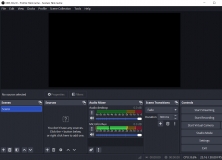


Free and open-source software for video recording and live streaming.
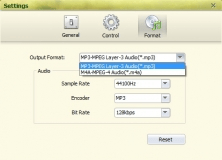

Great audio recording tool to grab any stream coming through your sound card.